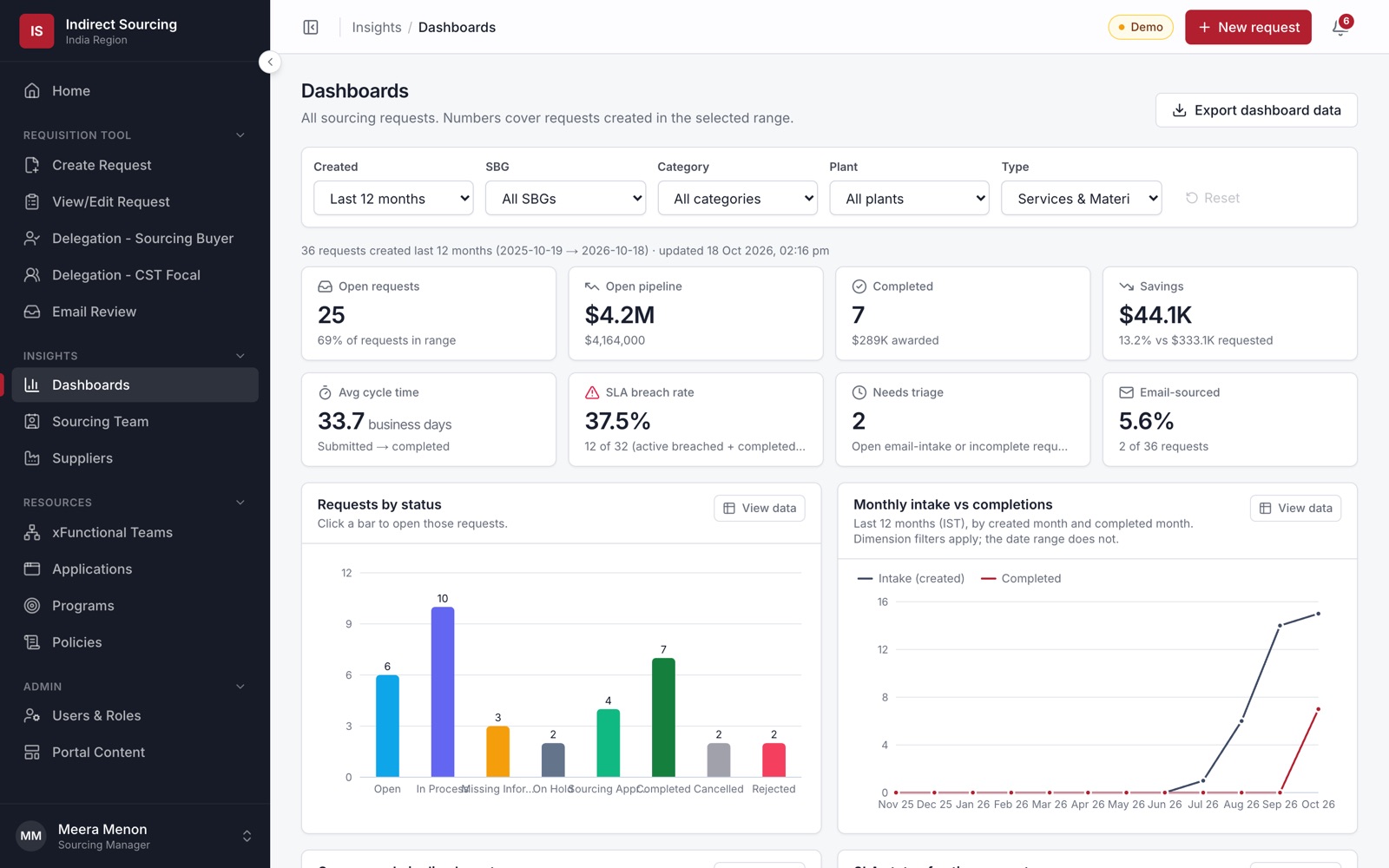
Indirect spend hides in inboxes. Requests arrive by email, get forwarded twice, and nobody can say what is open, who owns it, or how long it has been sitting. This puts every request — web form or email — into one queue with a live SLA clock, the right buyer attached, and the numbers your leadership keeps asking for.
Built for indirect sourcing teams buying everything that isn't the product itself — MRO, facilities, IT, services, logistics, CapEx.
A shared sourcing mailbox that nobody can audit. No reference number, no owner, no due date — just a thread that goes quiet.
Requesters across sites and business groups, a handful of buyers, and no clean way to balance who is carrying what.
Cycle time, savings and spend under management get rebuilt in a spreadsheet every quarter — and never quite match.
Budget approvals, SOWs and BOQs turn up late, and nobody notices until the request is already blocked.
From raised to awarded, with a clock on every step and an owner on every request.
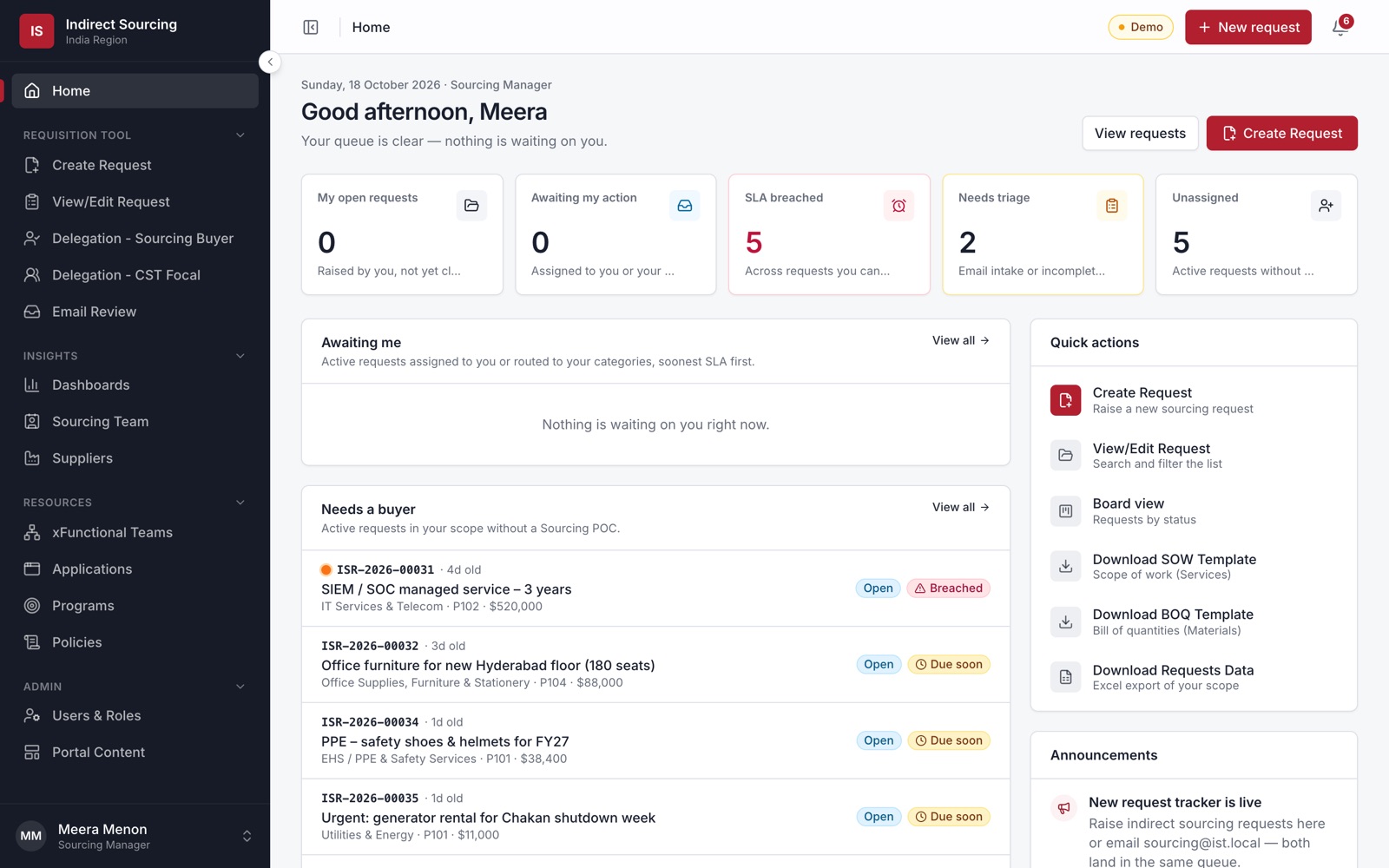
Requests come in through the web form or straight from your sourcing mailbox. Both land in the same queue with a reference number attached.
Category and spend threshold decide the sourcing strategy, the minimum quotes, the target cycle and who has to approve it.
A business-day SLA runs on every request — and pauses while you're waiting on the requester, so buyers aren't punished for someone else's delay.
Pipeline, savings, cycle time, SLA breach rate and buyer workload update themselves. Export to Excel when finance asks.
Mails to your sourcing address become tracked requests. Keep the reference in the subject and every reply attaches itself to the right one.
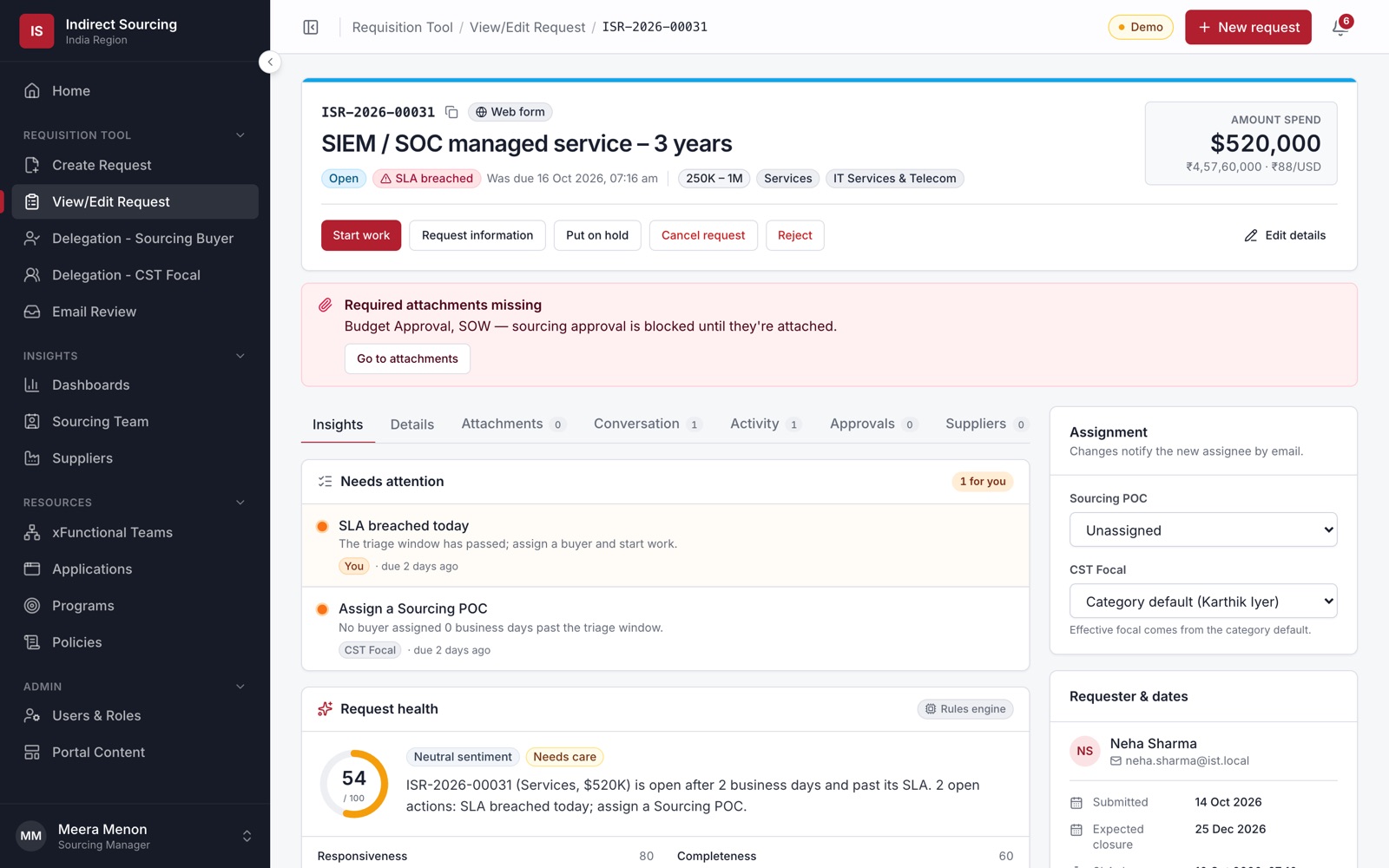
SLAs counted in working days, paused automatically while a request waits on the requester or sits on hold. Breaches surface before they're history.
Spend bands drive the playbook — three quotes or a full RFP with e-auction, the target cycle, and the approver who signs it off.
Every request scored on responsiveness, completeness, timeliness, sentiment and progress — with the risks named and the next step drafted.
Budget approval, SOW and BOQ are mandatory where they should be. Sourcing approval stays blocked until they're attached — no chasing.
Requester, sourcing buyer, category focal, manager, admin and a read-only auditor — each sees their own scope, with delegation built in.
Open pipeline by category, savings against requested value, cycle time by threshold band, aging, and buyer workload — all filterable.
Supplier directory, category policies, programmes and cross-functional contacts in the same place the request lives.
Every assignment, status change, message and approval is logged and attributable — and exportable for internal audit.
The request page is where the work actually happens — status, SLA, documents, people, and what to do next.
Send us a message and we'll give you access to a working system — walked through from the requester, buyer, category focal and sourcing manager's side, so you can see the same request from each seat. Then we'll talk about running it on your own categories.
Opens WhatsApp with your message ready to send · +91 89784 51689